Guardian Matrix™
UGC Safety Intelligence
What is Tower Defense Simulator?
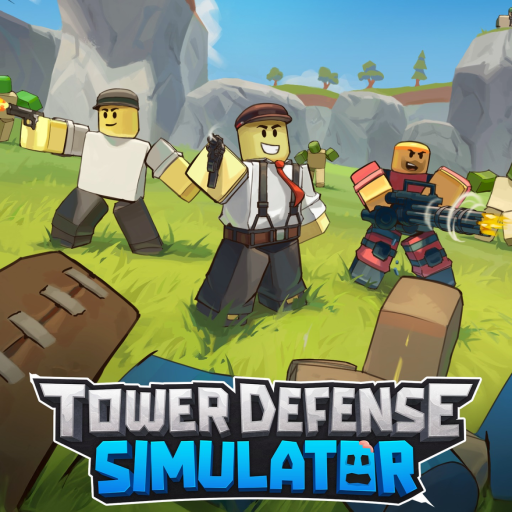
Tower Defense Simulator is a popular game where players strategically place defensive units to protect their base from waves of approaching zombies. The core gameplay loop revolves around earning in-game currency by defeating enemies, which is then used to purchase and upgrade more powerful units. Players can team up with friends to tackle challenging boss battles and unlock new units with unique abilities. Success depends on careful planning, resource management, and adapting to the ever-increasing difficulty of each wave.
The game features a wide variety of units, each with strengths and weaknesses against different types of zombies. Some units specialize in single-target damage, while others excel at area-of-effect attacks. Players must consider the zombie types and their vulnerabilities to optimize their defenses. Regular updates introduce new units, maps, and events, keeping the gameplay fresh and engaging. The objective is to survive all waves and earn rewards, which can be used to further upgrade defenses and unlock new content.
Safety & Risk Breakdown
Tower Defense Simulator receives a Guardian Matrix Score of 78 due to moderate risks. While the game features cartoonish violence against zombies, the lack of gore and the focus on strategic gameplay make it generally suitable for older children and teenagers. However, parents should be aware of potential risks associated with the in-game chat. Although chat filters are in place, inappropriate content or interactions may still occur. Monitoring your child’s interactions with other players is recommended.
Another potential risk is the presence of in-app purchases, which could lead to impulsive spending. While the game is not inherently pay-to-win, purchasing premium units can provide a significant advantage. Parents should discuss responsible spending habits with their children and set limits on in-app purchases. The game’s engaging nature and the desire to unlock new content could also contribute to excessive screen time. Encourage breaks and a balance between gaming and other activities.
In-App Purchases & Monetization
Tower Defense Simulator utilizes a freemium monetization model, offering various in-app purchases. Players can purchase in-game currency (Robux) to acquire premium units, skins, and crates. These crates often contain randomized rewards, introducing an element of chance. While cosmetic items do not affect gameplay, premium units can provide a significant advantage, potentially creating a pay-to-win dynamic. The game also offers battle passes, which grant access to exclusive rewards upon completion of specific challenges.
The availability of limited-time crates and exclusive skins may create a sense of urgency, encouraging players to spend money. Parents should be mindful of these tactics and discuss the value of in-game purchases with their children. It is important to emphasize that spending money is not necessary to enjoy the game and that strategic gameplay and teamwork can lead to success. Setting clear expectations and boundaries regarding in-app purchases can help prevent impulsive spending and ensure a positive gaming experience.